
Tap.Command.Move.
From the app in your hand to the track under your trains — every layer connected.
↓ scroll or click to begin
Walkthrough
See it in action.
Coming soon
DEJA.js Apps
Control from any device.
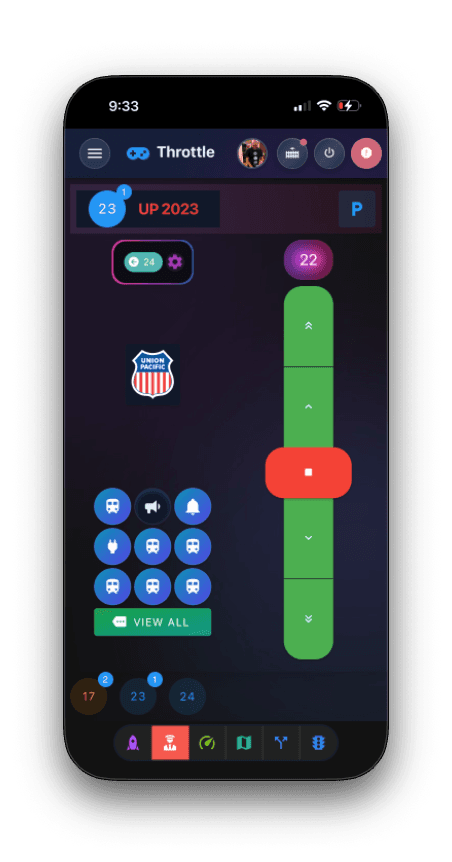
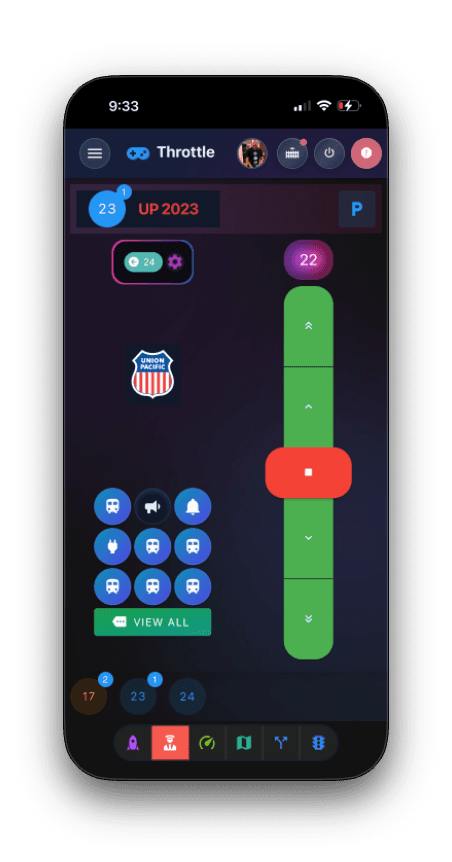
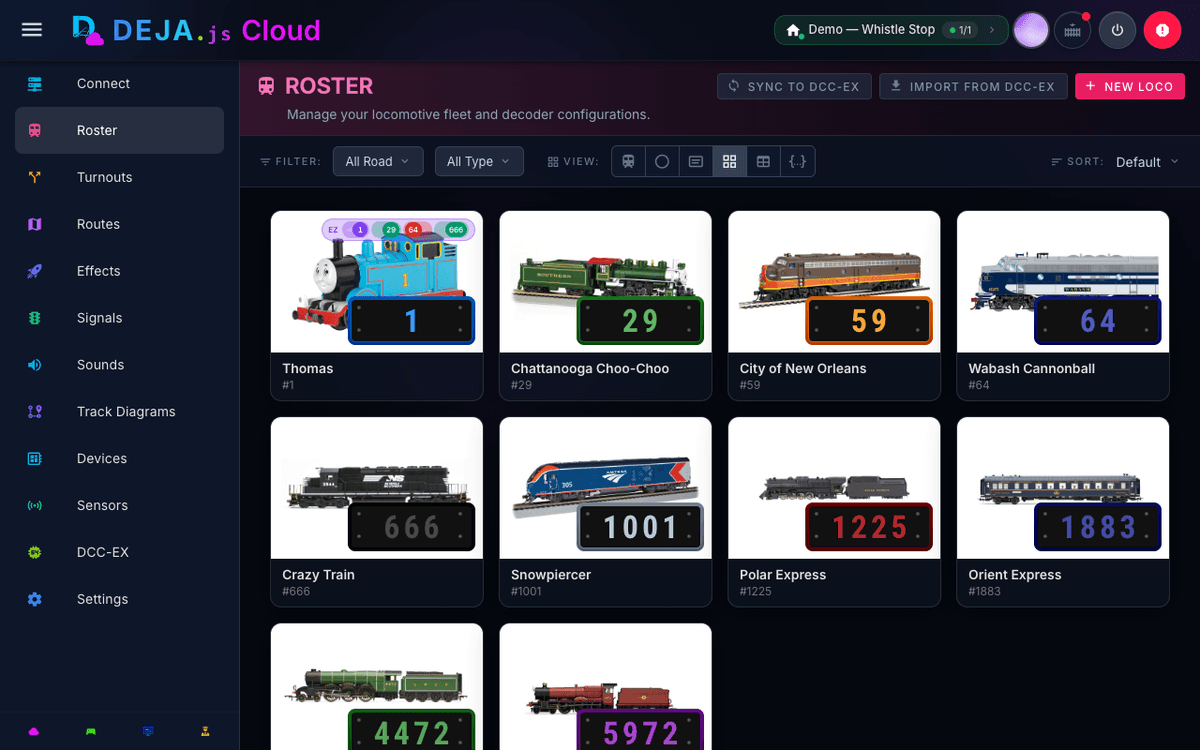
Throttle connects to your layout in real time. Drive from your phone, edit the layout from your tablet, and every change syncs instantly across every device.
Explore Throttle to see what it can do for your layout.
$ curl -fsSL install.dejajs.com | bash
✓ Installed deja to ~/.deja
$ deja start
✓ Firebase connected (layout: tamarack)
✓ Serial: /dev/ttyUSB0 @ 115200
✓ MQTT broker connected
✓ WiThrottle server on :12090
Ready — listening for commands
DEJA Server
One command. Everything connects.
The DEJA Server bridges your apps to your layout. It speaks Firebase to your apps and the cloud, serial to your DCC-EX EX-CommandStation, MQTT or WebSocket to your IO devices, and WiThrottle to ProtoThrottle, Engine Driver, ThrottleCard, and other WiThrottle clients.
Install it anywhere Node.js runs — your laptop, a Raspberry Pi, or a dedicated server. One curl to install, one deja start to launch, and your entire layout is online. Need remote access? Device logs and layout activity stream through DEJA Cloud to Throttle's Devices page — free on every plan, no port forwarding required.
DEJA IO
Expand endlessly.
Anything that connects to a microcontroller becomes part of your layout. Wire up LEDs for building lights, servos for turnouts, sensors for block detection, speakers for crossing bells — the platform grows as your imagination does.
Arduino
USB serial — direct pin control. Great for turnout machines, signals, and panel buttons near the EX-CommandStation. WiFi support coming soon.
ESP32
USB serial or WiFi MQTT — wire it up near the EX-CommandStation, or place it anywhere on the layout wirelessly. WebSocket support coming soon.
Pico W
WiFi MQTT — wireless placement anywhere on the layout. Perfect for lighting, sound, and sensors in hard-to-reach spots. WebSocket support coming soon.
What you can build
Configurations
Start simple. Scale up.
DEJA.js grows with your layout — no rewiring, no reinstalling.
Starter
A loop of track, one phone, one EX-CommandStation. Running in minutes.
Shelf
Add an Arduino for turnouts and signals, configured right in Throttle.
Bedroom
Wireless Pico W effects and full cloud sync.
Basement
Two boosters, multiple operators running trains together.
Club
Multiple EX-CommandStations and throttles, running trains together.
Under the Hood
How it actually works.
DEJA.js runs on open protocols end to end — and we believe in being just as open about how the platform works. Here's what's happening behind the scenes.
How does USB serial work?
USB SerialThe DEJA Server connects to DCC-EX EX-CommandStations over USB serial at 115200 baud. Every DCC command — throttle, turnout, function — is wrapped in angle brackets and sent as text: <t 3 50 1> means "set address 3 to speed 50, forward." The command station translates these into DCC signals on the track. Simple, documented, and open-source at the protocol level.
How does MQTT work?
MQTTMQTT is a lightweight pub/sub protocol built for constrained hardware. The DEJA Server runs a broker that Arduino, ESP32, and Pico W devices connect to over WiFi. Every message shares the same {action, payload} shape as the WebSocket protocol — publish one to a device's topic and it acts in milliseconds.
{
  "action": "pin",
  "payload": { "pin": 4, "state": true },
  "device": "arduino-1"
}
What about WebSocket?
WebSocketWebSocket is an IO-device transport — a wireless alternative to MQTT for ESP32 WiFi and Pico W boards. Each device dials the DEJA Server at /device with its own token, and the port opens only when your layout has a WebSocket device. No app uses it: Throttle reaches your server through DEJA Cloud, so there is nothing to open on your network for your phone or tablet. Messages are small JSON envelopes, the same shape as MQTT.
{
  "device": "esp32-yard",
  "sensor": 2,
  "state": 1
}
Does DEJA.js support WiThrottle?
WiThrottleYes — the DEJA Server runs its own built-in WiThrottle server, replacing JMRI for that role. ProtoThrottle hardware, Engine Driver, ThrottleCard, and other WiThrottle clients connect directly and drive locomotives right alongside the DEJA Throttle app. We encourage you to use whatever throttle — or throttles — you like best. ThrottleCard in particular is worth a look, with Apple Watch control and game-controller support (Xbox, PlayStation, MFi) built in.
Visit ThrottleCard →How does authentication work?
Throttle signs in with Firebase Authentication. Sessions are backed by signed JWT tokens and verified on every request, and the DEJA Server checks your subscription against Firestore before it will even open a port. You can share a layout with guest operators without handing out your password, and revoking access is instant.
Is my layout data secure?
Your roster, routes, turnouts, and effects live in Firestore and Realtime Database, protected by per-layout security rules — only accounts you've granted access can read or write them. All traffic between the apps, the server, and Firebase is TLS-encrypted in transit and encrypted at rest on Google's infrastructure. No layout data ever touches a public internet path in plaintext.
How does Firebase work?
Firebase provides real-time sync between your apps and the server. When you change a throttle setting on your phone, Firebase pushes that change to the server instantly — no polling, no refresh. Your roster, routes, turnout states, and effects are all stored in Firebase so they persist across sessions and devices.
How does remote monitoring work?
Your DEJA Server opens an outbound-only connection to DEJA Cloud and streams live device telemetry to your layout's private channel whenever someone has a device log open. Throttle's Devices page reads that stream in real time — free on every plan. There are no inbound router ports to forward, no firewall rules to punch holes in, and nothing on your home network is ever exposed to the internet.
How is remote data access secured?
Every remote read goes through Firebase Authentication and per-layout security rules — only members of your layout can see its data. The Server itself only ever dials out; combined with subscription validation, that's identity + authorization before any layout data leaves your network.
How does the DEJA CLI work?
The DEJA CLI is a single command that starts the entire platform. It launches the Node.js server, connects to your DCC-EX EX-CommandStation via USB serial, establishes the WebSocket server for browser connections, connects to Firebase for cloud sync, and optionally starts the MQTT broker for IO devices and the WiThrottle server. One command: deja start.
Why DEJA.js
Built for today's layouts.
JMRI has powered DIY DCC-EX layouts for decades, but it's built on Java — a heavyweight runtime, desktop-only, and often finicky to configure and keep running. DEJA.js started as a personal project to bring a modern TypeScript ecosystem to DCC-EX instead: no JVM, no XML config files, just a Node.js server and browser-based apps that sync in real time. The goal is to keep growing into the go-to platform for DIY DCC-EX layout builders — hobbyists and clubs who want something built for today's devices.
The stack
TypeScript
End-to-end type safety — from the server to every app.
Vue 3
Reactive, component-driven UI with Composition API.
WebSocket
Real-time bidirectional — every device sees changes instantly.
Firebase
Cloud sync, authentication, and real-time database.
MQTT
Lightweight IoT messaging for wireless device control.
Node.js
Runs anywhere — laptop, Raspberry Pi, dedicated server.
How it all connects
Every piece of the stack has a purpose. TypeScript catches errors before they reach your layout. WebSocket delivers commands in milliseconds. Firebase keeps your roster and routes synced across every device. MQTT lets you place wireless IO devices anywhere on the layout without running wires. And the server ties it all together — one process that speaks every protocol your layout needs.
vs. legacy desktop software
- →No Java runtime required — runs in any browser
- →Multi-device by default, not single-screen
- →Modern, touch-friendly interface — not desktop-era UI
- →Cloud sync keeps your layout data safe and accessible
- →Real-time updates across every connected device simultaneously
vs. standalone throttle apps
- →Not just a throttle — a complete platform
- →Layout management, automation, effects, signals, sounds
- →Works on any device with a browser — iOS, Android, desktop
- →Arduino and Pico W expansion for physical IO control
- →Cloud-powered roster, routes, and configuration management